
bored of doing repeated tasks in your browser like account creation, submitting forms etc, you can automate all these by using a simple python program with the help of selenium and chrome web driver
prerequisites before you start
- like always you need to have a python version installed. if not, visit python.org and download the latest or stable version and install locally on your machine
- Download chrome webdriver and save it in a path in your C drive ( preferably on the same path where python installed) Link to download https://chromedriver.chromium.org/downloads
- Install selenium using pip, open command prompt -> run
pip install selenium
The code below
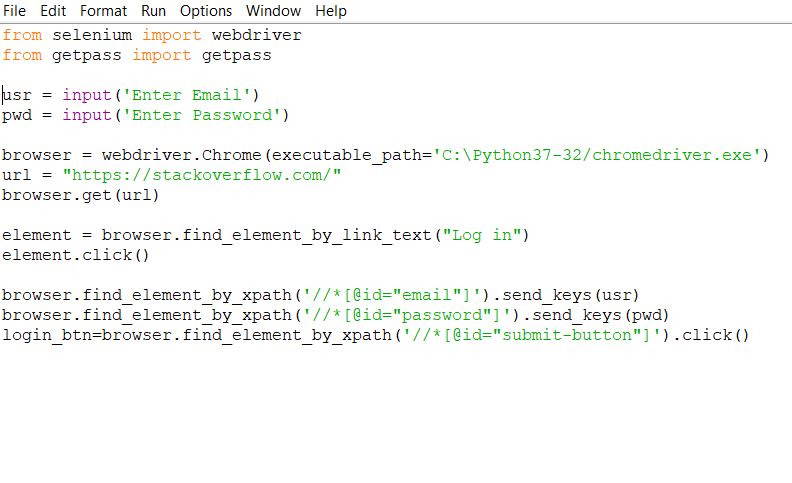
from selenium import webdriver
from getpass import getpass
usr = input('Enter Email')
pwd = input('Enter Password')
browser = webdriver.Chrome(executable_path='C:\Python37-32/chromedriver.exe'))
url = "https://stackoverflow.com/"
browser.get(url
element = browser.find_element_by_link_text("Log in")
element.click()
browser.find_element_by_xpath('//[@id="email"]').send_keys(usr) browser.find_element_by_xpath('//[@id="password"]').send_keys(pwd)
login_btn=browser.find_element_by_xpath('//*[@id="submit-button"]').click()
Let’s see in detail what each line in this code is doing
We are here automating the login to a website stackoverflow.com , by running a python code
from selenium import webdriver # importing the selenium webdriver
from getpass import getpass # imprting getpass to mask password
usr = input(‘Enter Email’) # defining email with variable as user
pwd = input(‘Enter Password’) # defining email with variable as pwd
browser = webdriver.Chrome(executable_path=’C:\Python37-32/chromedriver.exe’) #locating the path where chromedriver.exe is stored in machine
url = “https://stackoverflow.com/” # URL to login
browser.get(url) # navigate to the URL
element = browser.find_element_by_link_text(“Log in”) # find the keyword in the web page as Log in
element.click() # click on the Log in
browser.find_element_by_xpath(‘//[@id=”email”]’).send_keys(usr) # finding the xpath of the login , passing the username value
browser.find_element_by_xpath(‘//[@id=”password”]’).send_keys(pwd) # finding the xpath of the password and passing the password value
login_btn=browser.find_element_by_xpath(‘//*[@id=”submit-button”]’).click() # finding the xpath of the submit button and click
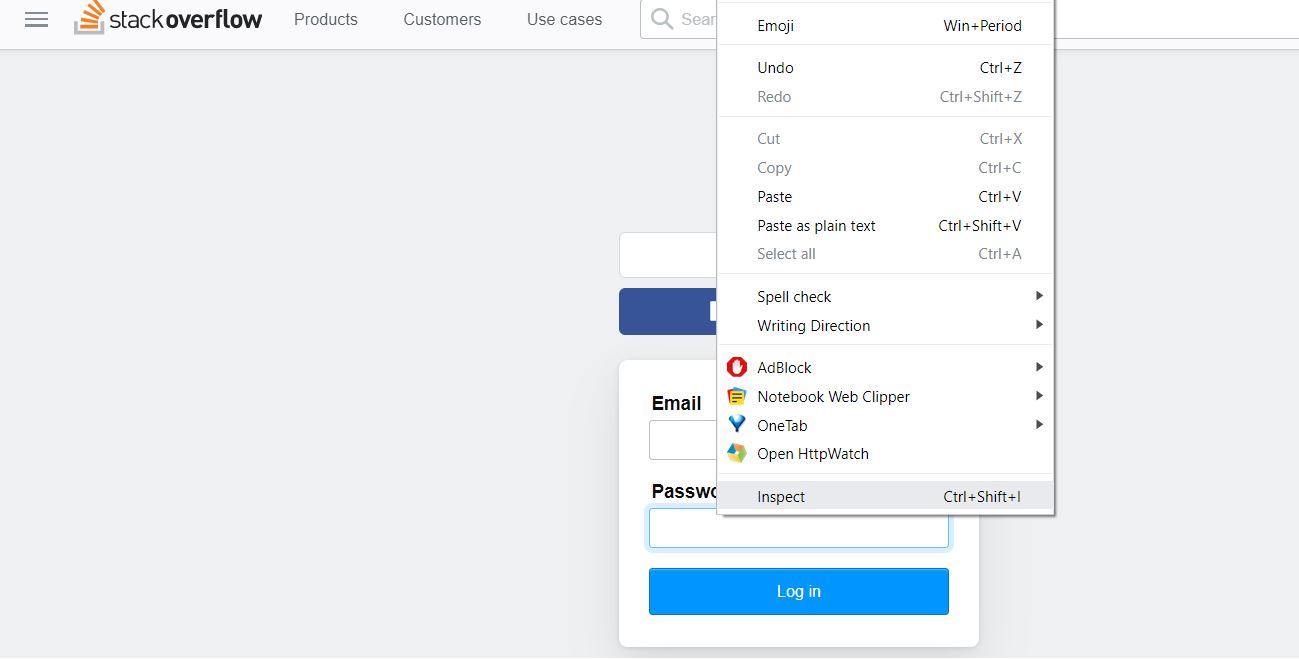
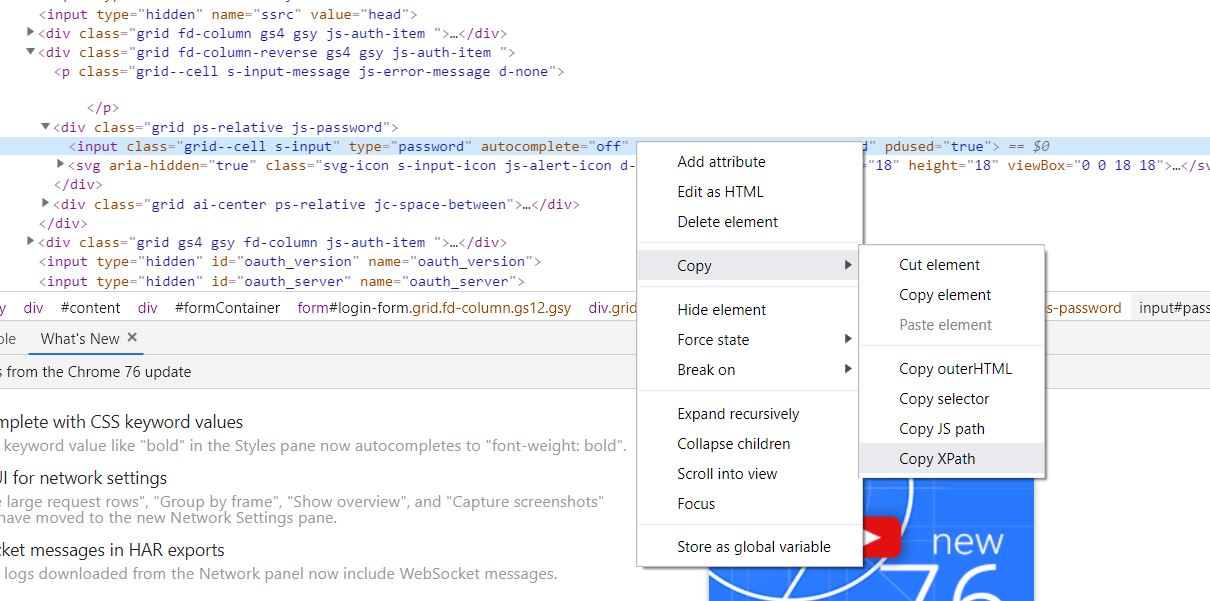
How to find the XPATH
place the mouseholder where you need to find the xpath, here the username , password field and login button -> Right click-> inspect -> A window will open with id parameter -> right click -> copy -> xpath
once the program is written, run in the python shell and you will see automatically logged in
 KL77_programmer();
Leave a comment